


How to Automate Invoicing

Synopsis
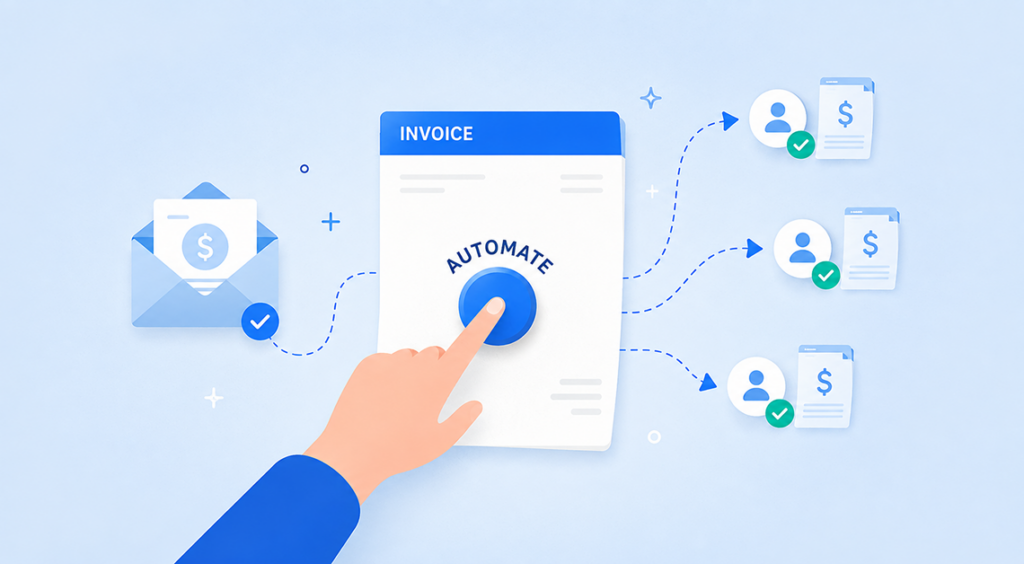
Automating invoicing can reduce manual work, speed up payments and make it easier for businesses to manage invoices and payment reminders.
It is a unique kind of exhaustion that comes with clawing back money you are already owed. You put in the work, made the client happy, and now you are that person sending out awkward non-response emails hoping someone pays attention. Most small business owners know this feeling all too well, and the majority are still manually doing it one invoice, one reminder, one Sunday night at a time.
It is important to remember that automating invoicing doesn’t mean putting a robot in there making your judgment calls for you. It’s about eliminating the repetitive tasks from your task list so you can spend that time on the work that actually generates revenue. This guide explains what that actually looks like in practice, what software is already on it and where automation literally changes how soon you get your money.
What is involved in automating invoicing?
The shortest way to explain invoice automation is that it lets software do the repetitive bits of how you receive payment, generating the invoice, sending it out, chasing it if it goes unpaid, and recording it into an accounting or bookkeeping system once settled instead of writing it every time word by word. An astonishing number of businesses still write their invoices from scratch in a Word document or spreadsheet every single day, copying and pasting details over from whatever old quote they could find on their computer.
This change isn’t really technology being smart. Removing the moments where a busy business owner forgets to send something or delays hitting on a reminder because it feels awkward to do twice with a client. Software doesn’t feel awkward. It reliably gets the task done on time, every time, whether it was in your mind to do that day or not.
What Software Really Automates Invoicing
You won’t be required to build any bespoke tooling, it all exists and just about every corporation owns one (but few have implemented it correctly). Xero and QuickBooks are the two most popular accounting platforms in Australia, both have comprehensive internal invoicing, even recurring billing and automated reminders as standard features rather than a paid add-on.
If your business needs something a little lighter, specialist invoicing apps like Invoice2go are focused entirely on getting an invoice away quickly from the phone, which makes sense for tradies and mobile service businesses who are rarely in front of their desk when a job finishes. And there is also a new wave of add-on tools that integrate directly with Xero or QuickBooks to push the chasing beyond what built-in reminders do: e.g. multi-stage follow-up sequences; payment portal; balance in 30 days is calculated and set as a “late fee” for businesses that really deal in ‘chronic late payers’.
For most businesses the right starting point isn’t a new platform, it’s actually simply turning on automation features that are sitting inside the software they already pay for. Many business owners set up Xero or QuickBooks years ago, got the bare minimum working and never looked back to see what else it could be quietly doing for them.
At the same time, reconsider how a tool works with your actual workflow vs simply going for whichever one has more working features on paper. A sole trader doing ad-hoc work on site is going to be much better served by something fast and mobile-friendly than a vendor for whom heavily detailed multi-entity reporting will never hit the use case anywhere. The right invoicing tool for you is not the one with the longest features list, it is the one you will continue to use.
Create Recurring Invoices for Regular Clients
Recurring invoicing is the single easiest automation win available to you if you bill the same client, the same amount, on a regular schedule (a retainer, a subscription, a monthly service fee.) You specify the amount, how often, and for whom, and then the software will automatically produce that invoice each month (or week, or quarter) without you touching it again.
This is more significant than it sounds. Recurring revenue is the most stable portion of income for a small business, and yet tends to be the part that’s most often neglected because it’s seen as stable enough that nobody needs to worry about it. A recurring invoice that doesn’t show up in your bank account is not going to shout out a warning like an unpaid job for money, it just goes about its business thoroughly reminding some business owners who will take weeks to notice.
That means you do have to confirm, upfront in writing the price, frequency and terms of payment with each client which also tends to resolve any grey verbal agreements before they escalate into a dispute later on.
How do automated payment reminders work?
Automated reminders are constructed around timing rules that you define once. A standard system will send a note a few days out, another on the due date and then start sending stiff follow-ups if entered into overdue zones. The tone can often be tuned stage-by-stage, gentle at first, more pointed as time goes on so that it isn’t an aggressive text to someone who is just 48 hours past due.
The reminder is not what makes this truly useful; it is the consistency. An owner with a dozen other things on their plate is going to let follow-ups slip for a day or two, then a week and finally just forget it completely until they sit down to do their books and see the hole. Software doesn’t get distracted. No matter your schedule during the week, it reminds you of when to send it off. Xero’s own guidance on this also contains a finer point that is truly impactful, putting in an immediate ‘pay now’ button directly within the invoice itself.
Tools Available to Get You Started
If you want a shortcut to get started, this is what small businesses that are actually doing this tend to use (and what they’re good for):
- Xero – It is popular in Australia, has built-in recurring invoices and automated reminders and a pay now button included in every plan (not an add-on).
- QuickBooks – A great alternative to Xero including similar automation features, favoured by organisations wanting more in-depth financial reporting.
- FreshBooks — Designed with a heavy emphasis on layers of the invoicing and client experience, recurring billing, and automatic reminders, it has a large following among freelancers and service-based businesses.
- Zoho Invoice - A truly free plan with automated recurring invoices and reminders built in, a great pick for freelancers or very small businesses who aren’t ready to pay for a full accounting platform yet.
- Wave – Free core invoicing and bookkeeping, perfect for businesses looking to cover the basics without a monthly bill.
- Invoice2go - Basically a fast phone-based invoicing app, handy for tradies and mobile service businesses that need to invoice on the go rather than back at the desk.
- Third-party add-ons such as Chaser – For businesses with persistent late payers, plug into Xero or QuickBooks for advanced chasing, including multi-step follow-up sequences and payment portals.
None of these is obviously “the best” and picking between them is most often a trade-off if you want invoicing as standalone or bundled with full accounting. If you are already paying for one of the big platforms, it is always worth checking to see what automation capabilities are lying dormant before signing up for yet another subscription on top.
Mistakes Businesses Make When Automating Invoicing
Switching automation on is not really a set-and-forget job, and some mistakes that can be avoided repeatedly rise to the surface. The most popular is ignoring the default wording in reminders. Manual, auto-responder-esque reminders elicit less of a response and once you’ve set up a slightly more personalised, warmer tone there’s no reason it shouldn’t do better.
You automate the chase but not the terms. If your payment terms are unclear or applied irregularly from one client to the next, automated reminders will not solve the confusion beneath. Before you turn on reminders, it is worth locking in clear due dates and payment expectations so the automation is chasing something concrete rather than something confusing.
Setting up automation once and never looking at it again is easy as well. A reminder sequence that worked perfectly for how you used to work 12 months ago might not suit a new client or an increased invoice. You, knowing the various facets of how you run your business, give settings a few-month check-up, as easily as reviewing any other aspect, and always ensure that the automation continues to do what it was designed to do: serve you and not operate in stealth mode.
Does Automating Invoicing Reduce Late Payments?
The real answer is that this helps quite a bit, but it's not a be-all end-all solution. This is where automation comes in, it solves the pieces of the process that get dropped because a human forgot to follow up, got busy or felt awkward about chasing someone. It does not solve for a client who genuinely has cash flow issues, or one for whom you have just deposited on their list of things to pay suppliers (i.e., you are the last in line because you haven't followed up firmly enough).
The highest value of automation is in its ability to provide consistency, at scale. An invoice for sending five invoices a month is likely to remember who owes what mentally. A business sending fifty invoices can hardly keep track, but that’s precisely the point at which invoices start to slip through the cracks not due to anyone’s negligence necessarily, but because it boils down to too much manual tracking. Even if hundreds are in flight simultaneously, automated systems ensure visibility and follow-up on every invoice.
But pairing automation with a few routines to make the software easier is also worth it. Stating payment terms up front, with larger jobs paid in instalments, and providing multiple avenues to pay all motivated invoices that require chasing in the first place! Automation handles the chasing brilliantly. It works even more effectively when very little is being pursued.
Costs of Invoice Automation
If you are already paying for Xero or QuickBooks these include recurring invoicing and basic automated reminders as a part of your existing plan and are not billed as a separate add-on. It is honestly one of the most neglected capabilities within software businesses already own, so prior to assuming that a new purchase is needed be sure that settings are reviewed.
Except for advanced third-party modular add-ons designed around aggressive collections, multi-step chase sequences or automatic late fee calculations that fall outside the handling by Xero or QuickBooks natively. Usually these are run as a monthly subscription in addition to your existing accounting package and pricing varies from a few pounds depending on the volume of invoices you process and how sophisticated the chasing rules will need to be.
But the logical initial move, for most SMBs, comes at zero additional cost. All it is doing is switching on the reminder settings, setting up the repeat billing for any regular clients and creating a pay now option. Having this all inside the software you probably already pay monthly for.
All of this talk is not about finding some smart new hack to get paid faster. It is to eliminate those little human failure points, the reminder that is forgotten, the invoice left incomplete in a draft folder, the awkward follow-up an employee thinks twice about sending, and let software take care of them consistently instead. What you worked on was already done well.
At Inspirepreneurs Magazine, covering entrepreneurship, business failures, and the human stories behind the world's most ambitious founders. She writes at the intersection of strategy and storytelling.
You Might Also Like

Epic Games to slash over 1,000 jobs as Fortnite usage declines
Wall Street Climbs Again As Ceasefire Hopes And AI Rally Push Stocks To Fresh Records
